The platform
The cloud manages. The screen plays.
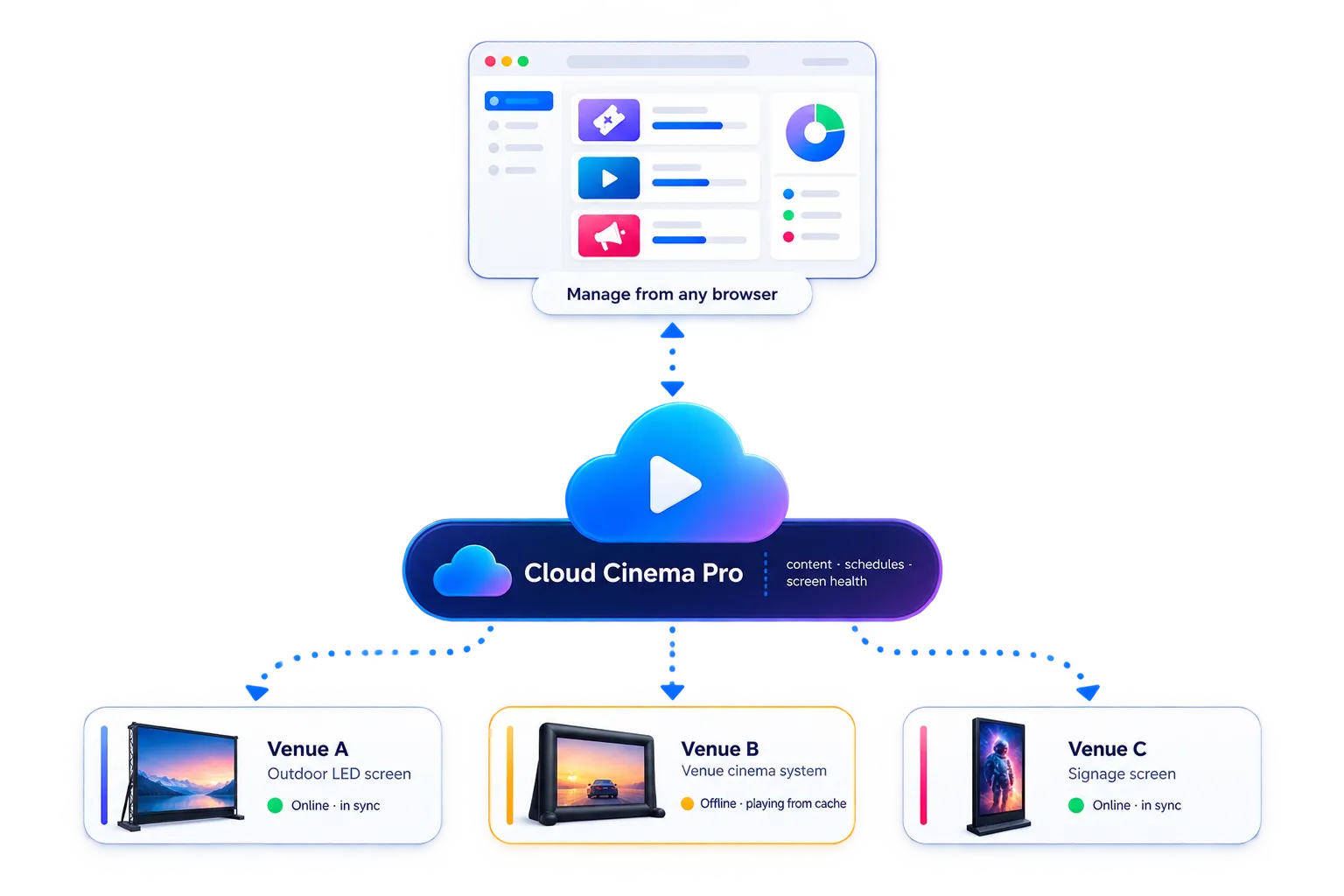
Cloud Cinema Pro is two halves working as one system: a portal where you program and watch everything, and a media player at each screen that plays your program from verified local storage — connection or not.
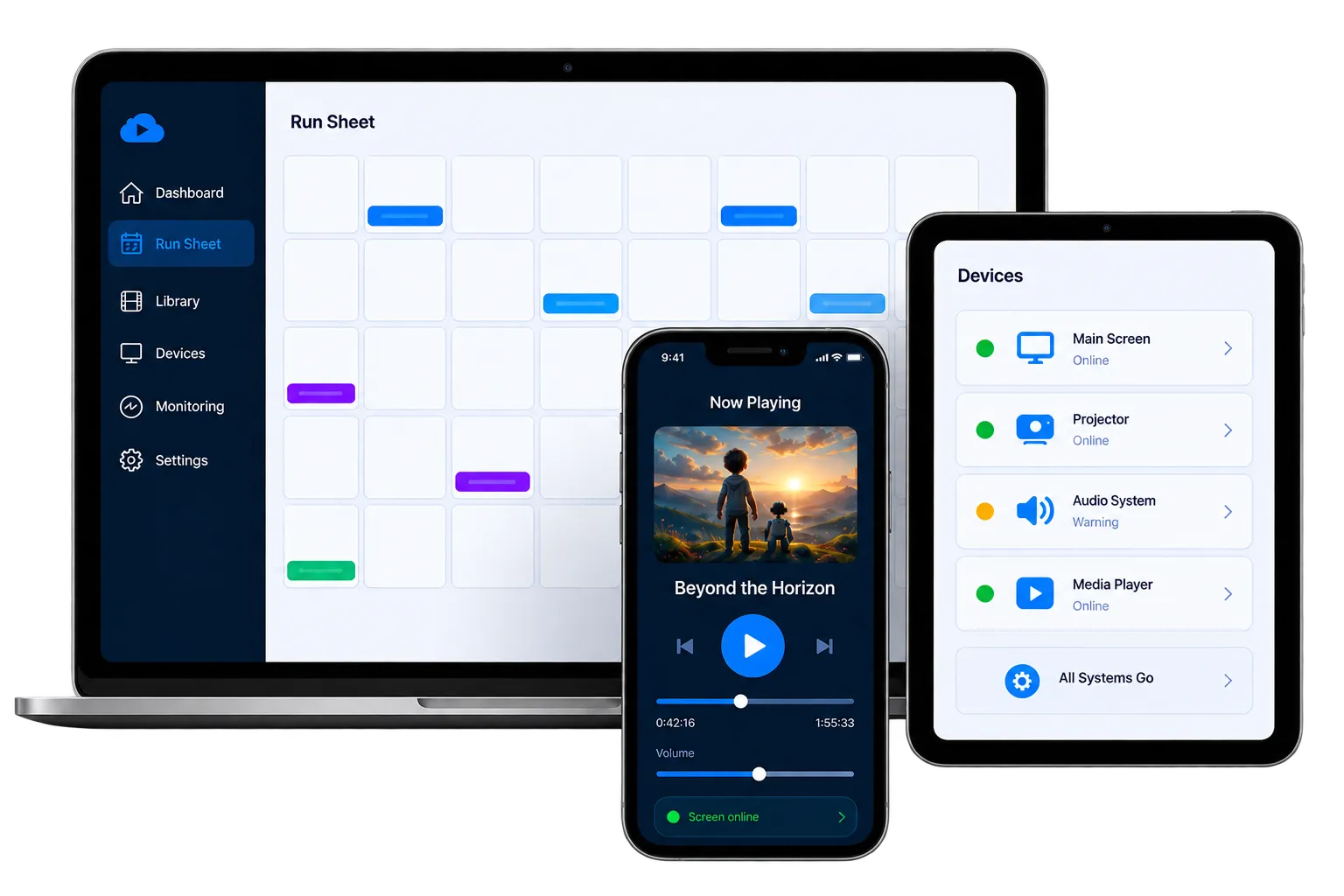
Any browser is the portal — and the phone is the remote.
The portal — where you work
Everything you do happens in a browser. Upload films, sponsor reels, images and text-page announcements into your library. Build the night as a cinema sequence — pre-show, feature, announcements, with holds that wait for you — and looping playlists for the signage hours. Lay sessions out on a calendar, watch every screen's health and readiness from one view, press Play Now when the moment calls, and drive playback — pause, resume, seek, volume — from any browser, anywhere.
- Media library with video, image, playlist and text-page content
- Cinema sequences with operator-controlled breakpoint holds
- Web remote — pause, resume, seek and volume from any device
- Calendar scheduling with recurring sessions
- Per-session readiness — know today that Friday is ready
- Fleet health, storage and playback status at a glance
- Notification preferences per person, per event type, with quiet hours
The device — where it plays
A compact media player at the screen runs your program. It downloads new content in the background over whatever connection the site has — resuming through dropouts — verifies every file, and stores it locally. Sessions start themselves on schedule, survive power interruptions by rejoining where they should be, and never depend on the internet at showtime.
- Offline-first playback from a verified local cache
- Resumable background downloads built for venue-grade internet
- Automatic recovery after power or network interruptions
- Self-managing storage — pre-caching, pinning, smart cleanup
- Continuous health and playback reporting to the portal
What's in the box
Every feature, in depth.
Platform questions
What hardware does Cloud Cinema Pro run on?
A compact Android-based media player connects to your screen — LED display, projector or commercial TV — and runs the Cloud Cinema Pro device app. The portal runs in any modern browser.
Does it work with a screen we already own?
In most cases, yes — if your screen accepts a standard video input, the media player can drive it. Get in touch and tell us about your setup; the team behind the platform also supplies and installs screens if you are starting from scratch.
Does the screen need a permanent internet connection?
No. A connection is needed to receive new content and report health, but playback runs entirely from the device’s verified local cache — scheduled sessions play even if the venue connection drops beforehand.
How do I get Cloud Cinema Pro?
It comes as part of the custom screen solutions we deliver through Outdoor Cinema Pro — with the screens we build and supply, or fitted to a suitable screen you already own. Get in touch and we will scope your setup.
Want Cloud Cinema Pro running your screen?
Cloud Cinema Pro runs the screens we build, supply and support at Outdoor Cinema Pro. Tell us about your venue — or the movie nights you want to run — and we'll put the right platform and hardware behind them.